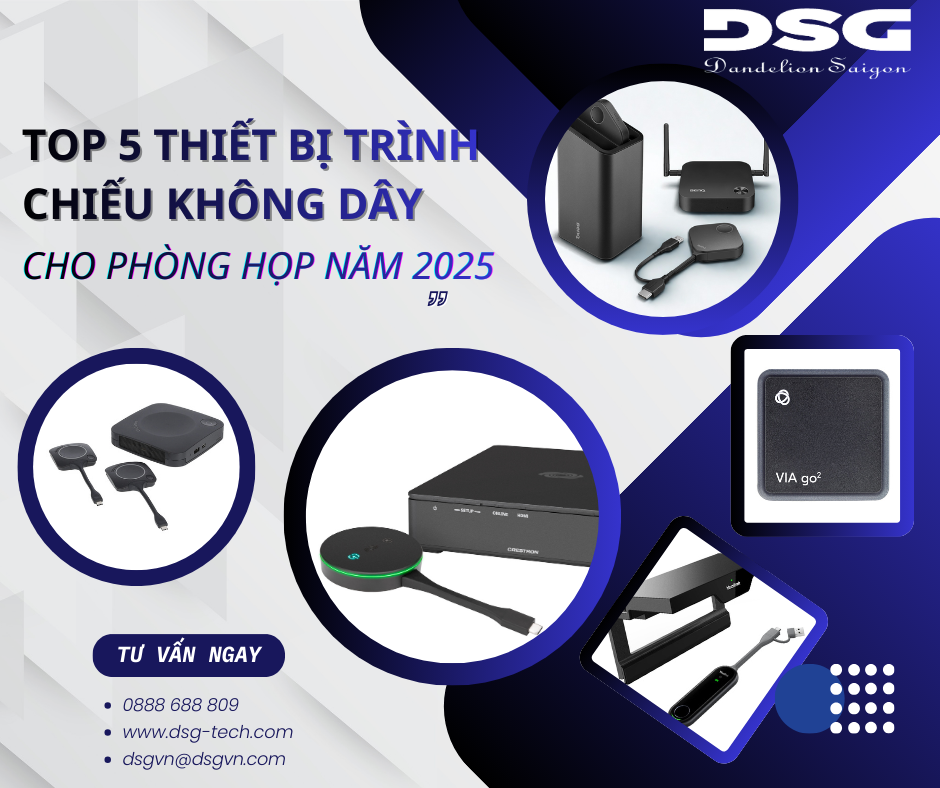
If you are preparing to upgrade your meeting room for 2026, the question "which stable, secure, and easy-to-use wireless presentation device should I choose?" is almost certain to arise. The shift from wired HDMI systems to wireless presentation is not just about reducing cables, but also involves the BYOD experience, security, hybrid meeting integration, and management capability across multiple meeting rooms.
Based on technical information updated to 2026 and documentation from manufacturers, this article summarizes the top 5 typical wireless presentation devices, adhering to three important perspectives:
Hardware specifications: resolution, number of simultaneous presenters, distance, network standards.
Features for hybrid meeting rooms: support for Zoom/Teams, USB camera/mic, screen splitting, BYOD.
Operational & budget perspective: security, remote management, deployment complexity, total cost of ownership.
Before diving into specific models, businesses usually filter products based on a few clear criteria:
Resolution & image quality: Minimum Full HD, prioritizing 4K for large screens or 4K monitors so charts, slides, and dashboards display sharply.
Stability & latency: The device needs to operate stably in environments with many Wi-Fi devices, with low enough latency for smooth slide transitions and video playback.
Multi-platform BYOD support: Clarification is needed on which operating systems the device supports (Windows, macOS, Android, iOS, ChromeOS), and the connection methods (app, USB button, native cast like AirPlay, Miracast, Google Cast).
Security & network segmentation: Encryption (AES, WPA2/WPA3), separation of guest – internal networks, PIN mechanism, authentication, which are very important in a corporate environment.
Number of simultaneous presenters & display layout: Support for 2, 4, or more simultaneously; availability of layouts like 2×2, picture-in-picture, or just full-screen display for each person.
Centralized management & TCO: Cloud/on-prem management platform, capability for mass firmware updates, status monitoring, along with license fees, accessories, and deployment costs over 3–5 years.
With this set of criteria, here are the top 5 noteworthy wireless presentation devices for meeting rooms in 2026.
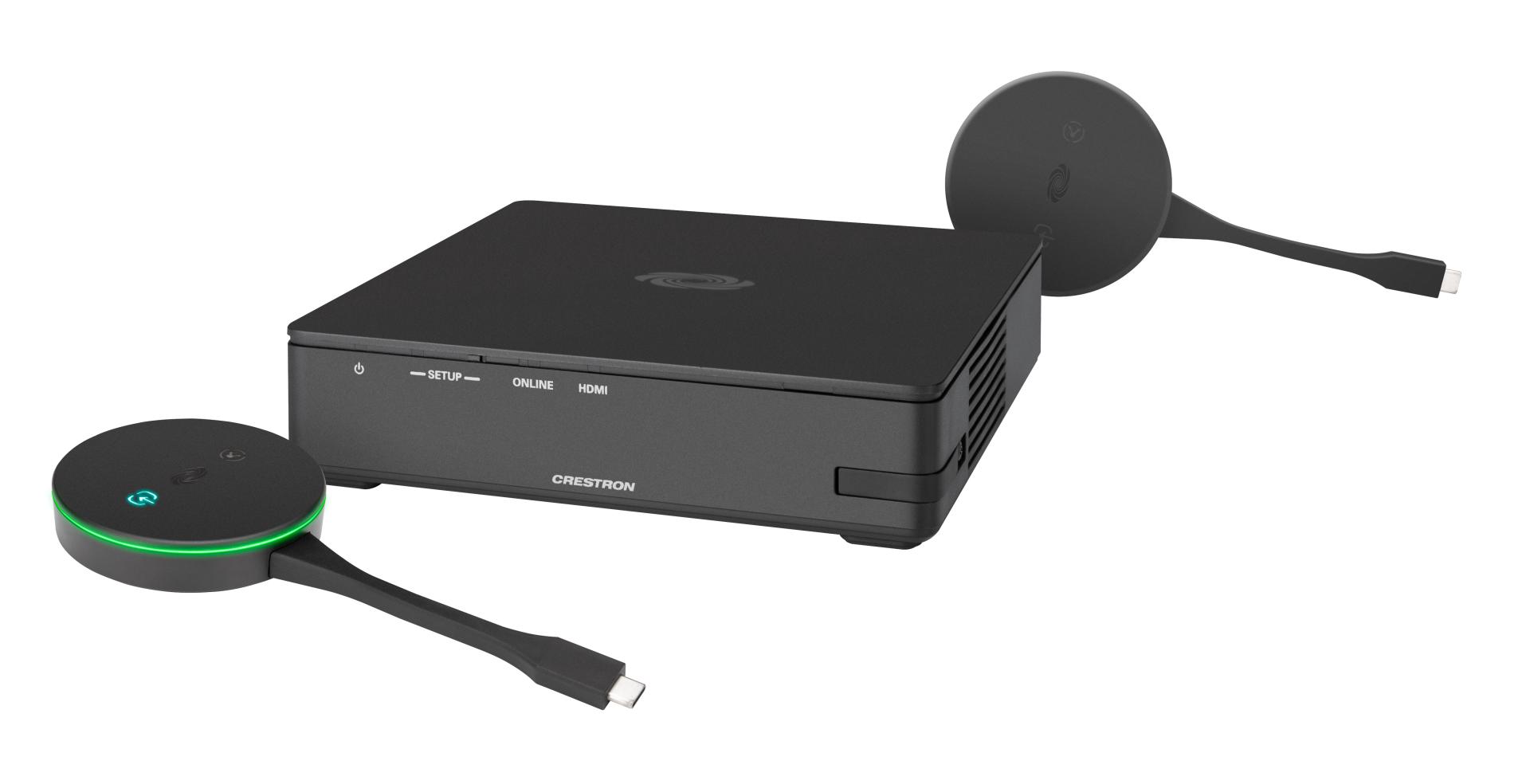
Crestron AirMedia AM-200 is a wireless presentation device within the Crestron ecosystem intended for businesses. The device supports AirMedia, HDMI input/output, CEC/RS-232/IR control, and is often concealed behind the screen to maintain the meeting room aesthetic.
(1) Core Technical Specifications
Resolution: supports display from Full HD upwards (depending on screen/processor configuration), with a 4K upgrade option available with other models in the AirMedia line.
Distance & transmission range: approximately 30m in a meeting room environment.
Number of simultaneous sharers: 4 sources (multi-view) in many deployment scenarios.
Connection & network standards: Wi-Fi, LAN; supports QoS and detailed network configuration for enterprise environments.
Input/output ports: HDMI, control ports such as RS-232, IR, enabling deep integration with the AV system and screen.
(2) Features for hybrid meeting rooms
Integrates well with touch panels, room schedules, presence sensors, automatically turning the screen on/off, displaying the meeting schedule, and switching presentation sources. Designed as a piece of the complete Crestron solution (control, audio, video, scheduling), helping the meeting room operate seamlessly from booking to presentation.
(3) Operational & Budget Perspective
Centralized management: can be administered via platforms like XiO Cloud / Crestron's management system, allowing firmware updates, device status monitoring, and maintenance scheduling.
Deployment: usually accompanies an overall AV project, professionally designed and configured from the start; suitable for large office buildings and multiple branches.
Cost: belongs to the high-end segment, commensurate with the Crestron ecosystem and the level of completeness for large corporate environments.
Suitable for: organizations, corporations, banks, and businesses that already use or are deploying the Crestron ecosystem and require a synchronized, large-scale manageable wireless presentation platform.
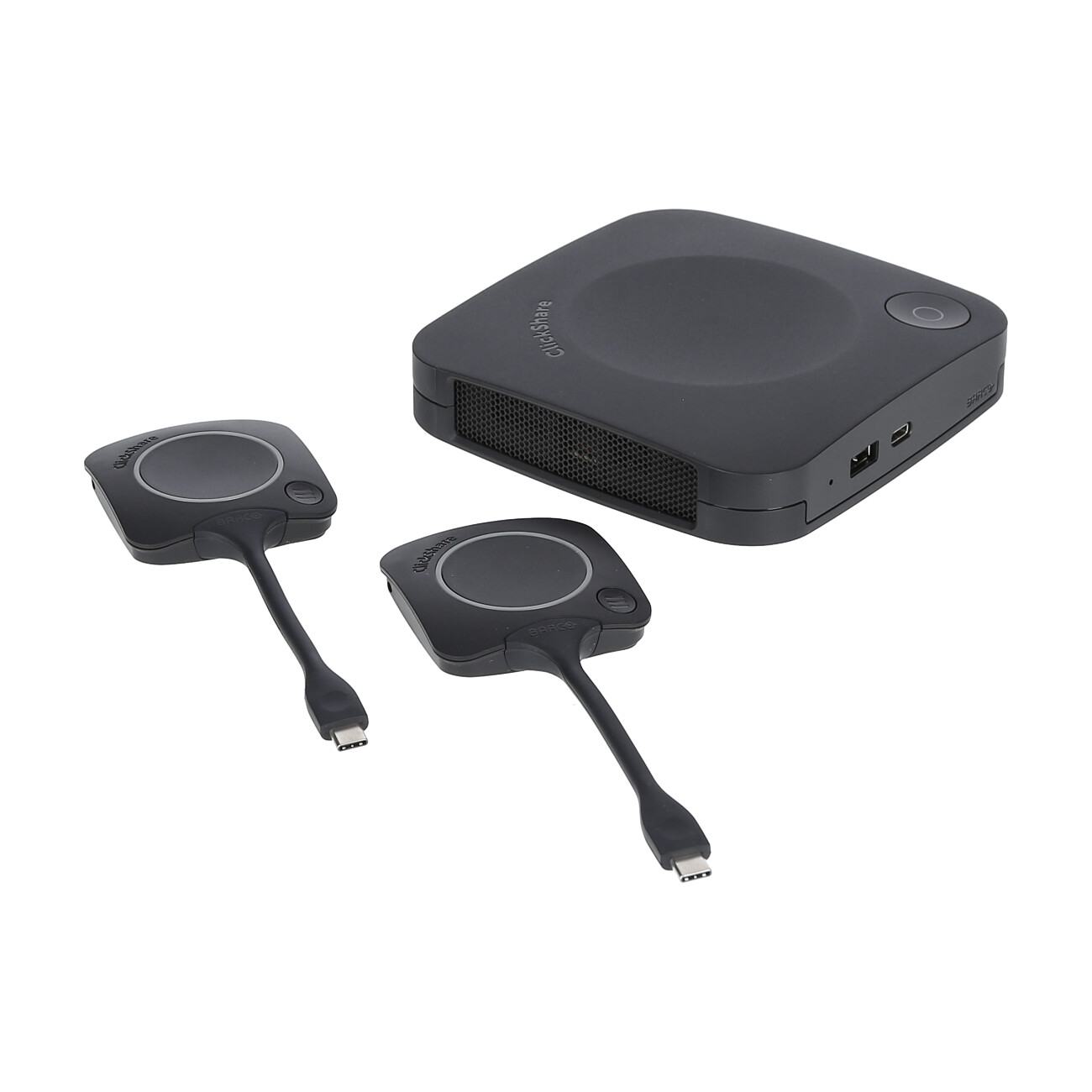
Barco ClickShare CX-30 belongs to the CX-series Gen2, supporting 4K UHD @ 30Hz output via HDMI or USB-C, usually packaged with 2 ClickShare Buttons in the standard kit. The product is suitable for small to medium meeting rooms, training rooms, or huddle rooms.
(1) Core Technical Specifications
Maximum resolution: 4K UHD @ 30Hz (native).
Distance & transmission range: approximately 30m in a standard meeting room environment.
Number of simultaneous sharers: 2 people, with screen splitting capability.
Connection & network standards: Wi-Fi a/g/n/ac, Wi-Fi 6 optional; LAN RJ45 1Gbit; supports VLAN, QoS.
Input/output ports: HDMI out, USB-A/C, supports CEC for TV.
(2) Features for hybrid meeting rooms
Supports full BYOD for Windows, macOS, Android, iOS. Users can present using the USB-C Button, the ClickShare app, or native cast (AirPlay, Google Cast, Miracast).
Good compatibility with online meeting platforms like Zoom, Microsoft Teams; easily integrates with in-room USB cameras and mics.
(3) Operational & Budget Perspective
Security: supports multiple layers of encryption, PIN mechanisms, and detailed access rights configuration.
Centralized management: integrates with the XMS platform, allowing device management by room, status monitoring, and mass firmware deployment.
Cost: belongs to the mid-high segment; suitable for deployment in key meeting rooms within the business.
Suitable for: entities requiring a professional hybrid experience, frequent meetings with customers/partners, prioritizing 4K and centralized management capability.
3. Yealink RoomCast
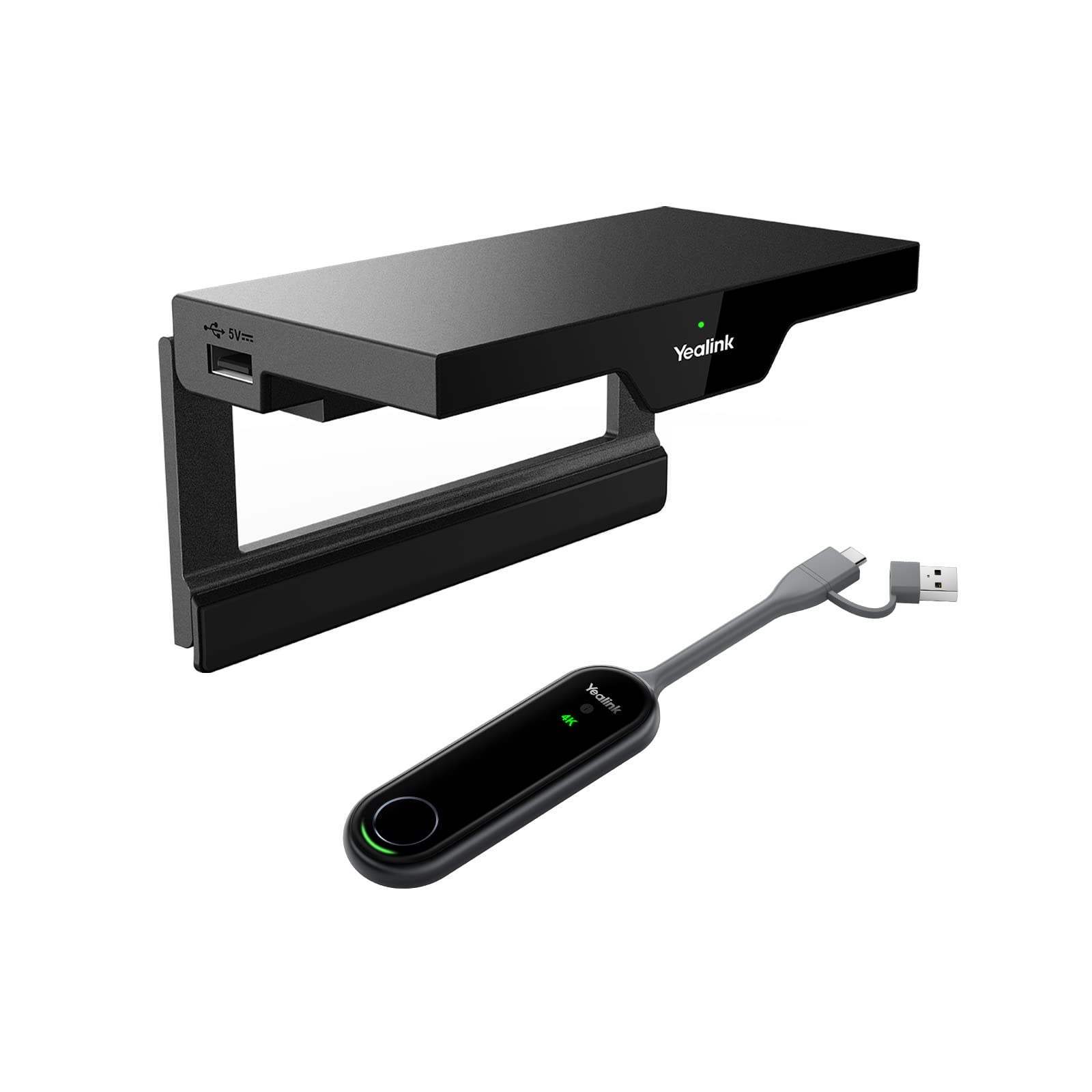
Yealink RoomCast is an all-in-one Android box, supporting 4K/60fps decoding, integrated Gigabit LAN and high-speed Wi-Fi, deployed neatly behind the TV. The product is aimed at medium meeting rooms, classrooms, and multi-purpose spaces.
(1) Core Technical Specifications
Maximum resolution: 4K/60Hz.
Distance & transmission range: stable within a range of 10–20m in an enclosed room.
Number of simultaneous sharers: maximum 4 people with screen splitting layout.
Connection & network standards: Wi-Fi 6, PoE LAN; supports VLAN.
Input/output ports: HDMI out, USB-A/C for connecting peripherals.
(2) Features for hybrid meeting rooms
Supports AirPlay, Miracast, Google Cast and connection via app or QR code, suitable for various types of devices. Can be combined with a wireless presentation pod (like WPP) to enhance the "click-to-present" experience. Integrates features such as whiteboard, annotation, remote control, suitable for workshops and brainstorming sessions.
(3) Operational & Budget Perspective
Device management: has the Yealink Device Management platform for status monitoring, firmware updates, and remote configuration.
Deployment: compact box, PoE powered, requiring only one HDMI cable to the TV, easy to install in many locations.
Cost: falls in the entry to mid-range segment, suitable for small and medium businesses, schools, and coworking spaces.
Suitable for: entities requiring 4K/60fps presentation, 4-screen splitting, quick deployment, and cost optimization.
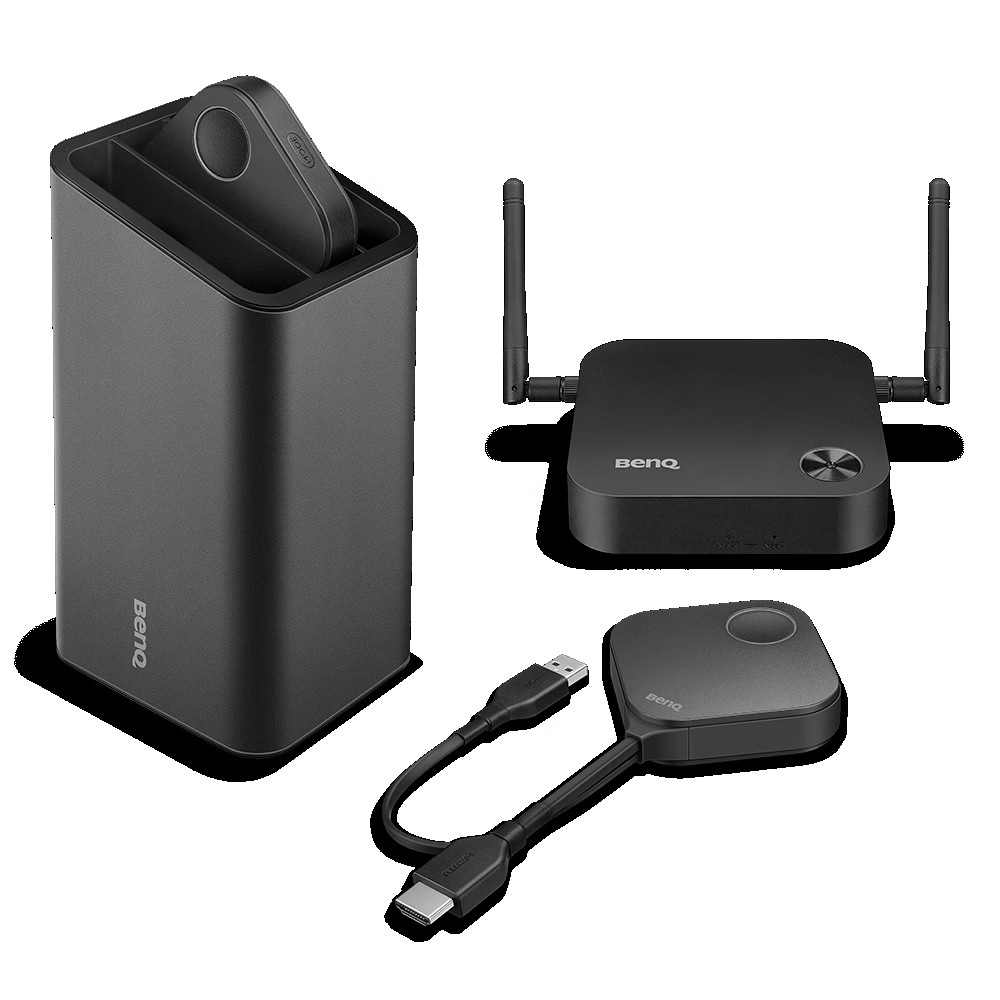
BenQ InstaShow S (WDC20) is a button-based wireless presentation solution, focused on the “plug and play” experience. The kit includes a receiver attached to the screen/projector and HDMI/USB-C buttons for users.
(1) Core Technical Specifications
Maximum resolution: up to 4K@30Hz, Full HD @60fps.
Distance & transmission range: approximately 15–30m in a meeting room environment.
Number of simultaneous sharers: 2–4 sources displayed simultaneously, many users can register buttons.
Connection & network standards: operates independently, not relying on internal Wi-Fi in many scenarios.
Input/output ports: HDMI in/out, USB-A for power supply or connection.
(2) Features for hybrid meeting rooms
Users only need to plug the button into the laptop and press to present, without needing complex driver installation, which is very suitable when hosting many guests.
Supports Windows, macOS, and some mobile devices through supplementary solutions. The hybrid scenario often involves combining the device with a meeting room PC running Zoom/Teams; content from the laptop is sent up via InstaShow, and then the PC shares it into the online meeting.
(3) Operational & Budget Perspective
Advantages: separation from the internal network in many cases, reducing security risks when guests access, extremely simple for users.
Limitations: centralized management and cloud features are not as robust as some other solutions, requiring separate methods for control if deploying large quantities.
Cost: mid-range segment, worth considering for training rooms, conference rooms, or spaces frequently hosting guests.
Suitable for: businesses, training centers, hotels, where the “plug and run” experience is prioritized and external guests frequently need to present.
5. Kramer VIA GO²
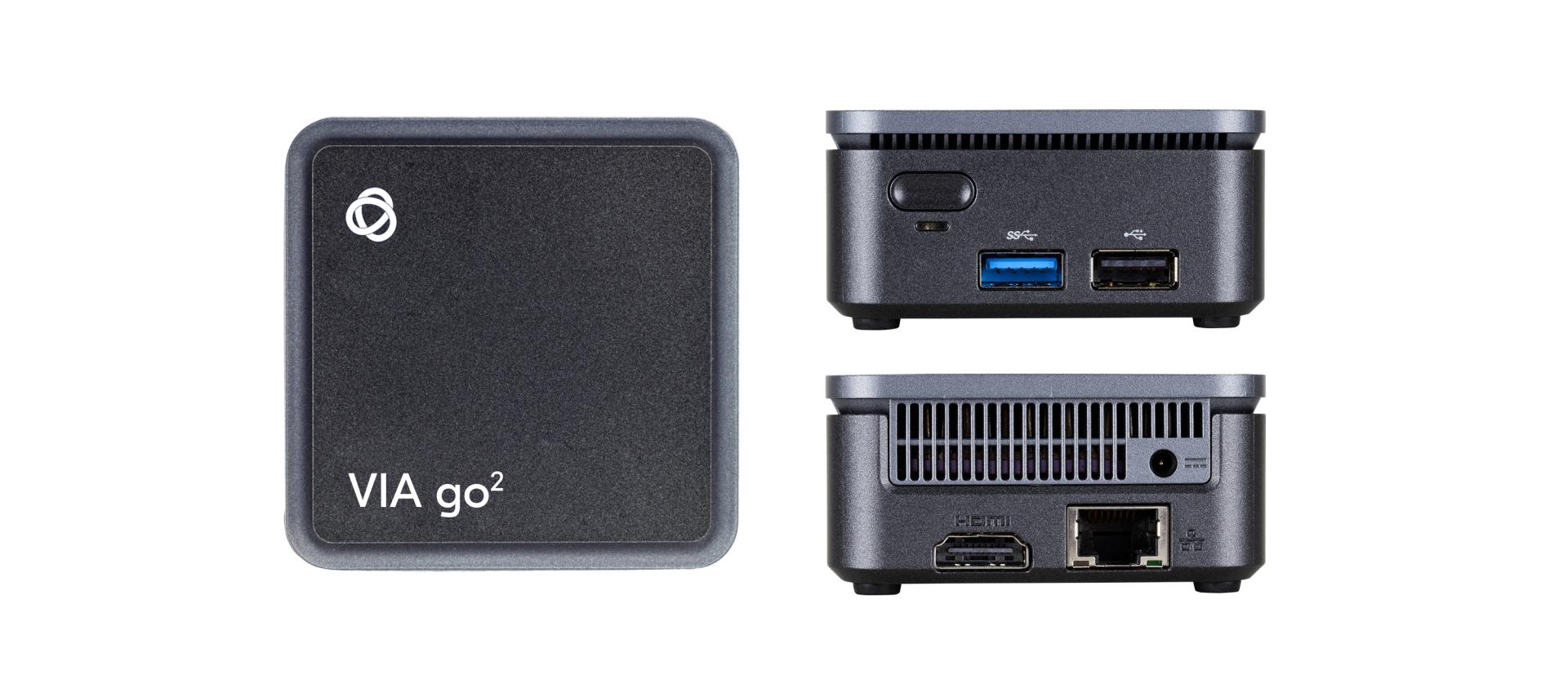
Kramer VIA GO² is a 4K wireless presentation gateway used to connect to TVs, projectors, or existing AV systems. The device features HDMI out, LAN, and dual-band Wi-Fi, is quite compact, yet supports rich features.
(1) Core Technical Specifications
Maximum resolution: 4K@30Hz for presentation content.
Distance & transmission range: 20–30m in a standard meeting room environment.
Number of simultaneous sharers: displays 2 sources simultaneously, many people can connect and share sequentially.
Connection & network standards: Wi-Fi 2.4/5GHz, LAN; supports multiple network configuration options.
Input/output ports: HDMI out, USB port for accessories.
(2) Features for hybrid meeting rooms
Supports connection from iOS, Android, Chromebook, PC, Mac via app, browser, or native cast, flexible for many types of devices.
Can be integrated into existing AV – UC systems in the room, shared with the meeting room PC, camera, mic, and speakers. Suitable for presentations, product demos, and high-quality, low-latency video playback.
(3) Operational & Budget Perspective
Security & network configuration: allows detailed configuration, suitable when needing guest network separation, bandwidth optimization, and security.
Deployment: flexible, can be mounted both behind the TV and in the AV rack; however, often requires personnel experienced in AV/networking for optimal configuration. Cost: mid-high segment, commensurate with the ability to integrate deeply into the AV infrastructure.
Suitable for: businesses, educational organizations that already have existing AV infrastructure and want to add a 4K wireless presentation layer while retaining high customization capability.
To make it easier to visualize, you can start with the primary need of your meeting room, then quickly cross-reference it with the device suggestions in the table below:
Priority Need | Suggested Device | Key Reason |
|---|---|---|
Deployment in an enterprise environment, synchronization with the AV meeting room ecosystem, full centralized management | Crestron AirMedia AM-200 | Deep integration with room schedules, touch panels, control systems, centralized management, suitable for large buildings. 4K resolution, smooth presentation experience, BYOD support, high security. |
Professional hybrid meetings, requiring centralized management of multiple meeting rooms | Barco ClickShare CX-30 | 4K, smooth presentation experience, full BYOD support, centralized management platform, high security. |
Requires 4K/60fps, multi-screen splitting, reasonable investment cost | Yealink RoomCast | Compact box, 4K/60fps, splits up to 4 screens, quick deployment for small and medium businesses, schools. |
Meeting/training rooms frequently hosting guests, prioritizing the “plug and present” experience | BenQ InstaShow S (WDC20) | HDMI/USB-C button, no app installation required, limits guests from accessing the internal network. |
Already has existing AV infrastructure, needs a flexible gateway to add wireless presentation | Kramer VIA GO² | Compact 4K gateway, easy to connect to existing AV systems, flexible in network configuration and device integration. |
When planning an upgrade for 2026, a safe approach is to first select 1-2 standard product lines, conduct pilot deployment in a few key meeting rooms, record actual usage feedback, and only then scale up. This method helps simultaneously optimize three factors: user experience, operational simplicity, and total cost of ownership (TCO) over the next 3-5 years.
Contact DSG today for tailored advice that fits your company’s real needs!