Trong quá trình tư vấn và triển khai giải pháp phòng họp cho các doanh nghiệp lớn, DSG gần như luôn gặp chung một bức tranh: hệ thống màn hình, UC bar, camera đã được đầu tư bài bản, nhưng trải nghiệm trình chiếu vẫn “vướng” ở bước đầu tiên. Mỗi cuộc họp đều mất 5–10 phút chỉ để tìm đúng sợi cáp, đổi từng loại adapter, hỗ trợ khách hàng dùng MacBook hoặc quản lý mang theo iPad kết nối vào màn hình. Khi làm việc với ban lãnh đạo hoặc đối tác quan trọng, chỉ một trục trặc nhỏ ở khâu trình chiếu cũng đủ khiến phòng họp mất đi sự chuyên nghiệp.
Từ những dự án đó, chúng tôi nhận thấy nhu cầu trình chiếu không dây không còn là “tính năng tiện lợi” mà đã trở thành yêu cầu hạ tầng: doanh nghiệp cần một cách chia sẻ nội dung nhanh, ổn định, an toàn, cho mọi thiết bị – từ laptop Windows, Mac đến tablet, smartphone – mà không phụ thuộc cáp và adapter.
Giải pháp trình chiếu không dây, nếu được thiết kế đúng, không chỉ giúp chuẩn hóa trải nghiệm phòng họp trên toàn hệ thống, mà còn giảm tải cho đội ngũ IT và tối ưu tổng chi phí sở hữu (TCO) của các khoản đầu tư AV hiện tại.
Dựa trên kinh nghiệm triển khai thực tế cùng khách hàng, DSG sẽ cùng bạn nhận diện những dấu hiệu phòng họp đã lỗi thời, cách đánh giá nhu cầu nội bộ và bộ tiêu chí so sánh thiết bị trước khi ra quyết định đầu tư ở quy mô lớn.
Trước khi bàn đến giải pháp trình chiếu không dây cụ thể, doanh nghiệp nên quay lại những trải nghiệm rất thực tế trong các cuộc họp nội bộ, với khách hàng hoặc ban lãnh đạo. Nếu bạn bắt gặp những tình huống dưới đây xuất hiện lặp đi lặp lại, rất có thể phòng họp đang ở giai đoạn “quá tải” và cần một bước chuyển sang trình chiếu không dây.
Dấu hiệu rõ ràng nhất là việc tìm kiếm cáp, đổi adapter cho các thiết bị khác nhau (HDMI, USB-C) đã trở thành thói quen. Tình trạng cáp ngắn, adapter thất lạc, hoặc cổng bị lỏng gây ra thời gian chết đáng kể. Tâm lý "ngại cắm dây" còn khiến nhân viên chọn không chia sẻ nội dung, ảnh hưởng trực tiếp đến hiệu quả cộng tác và ra quyết định. Trình chiếu không dây loại bỏ hoàn toàn các thao tác vật lý này, đảm bảo cuộc họp bắt đầu ngay lập tức.
Với mô hình làm việc hiện đại, khách hàng và đối tác sử dụng đa dạng thiết bị. Nếu phòng họp chỉ hỗ trợ một vài chuẩn cổng nhất định, rất dễ xảy ra tình huống khách mời không thể trình chiếu nội dung. Việc nhân viên phải đi mượn adapter hoặc IT phải can thiệp không chỉ gây gián đoạn mà còn tạo cảm giác thiếu chuyên nghiệp. Giải pháp trình chiếu không dây hiện đại hỗ trợ đa nền tảng, cho phép khách mời kết nối dễ dàng qua ứng dụng hoặc thiết bị button đơn giản
Mặc dù doanh nghiệp đã cho phép nhân viên mang thiết bị cá nhân (BYOD), nhưng hạ tầng trình chiếu vẫn chỉ ưu tiên "một loại thiết bị chuẩn" (ví dụ: chỉ Windows). Điều này dẫn đến sự không đồng bộ nghiêm trọng: người dùng Mac phải loay hoay với adapter, còn tablet và smartphone gần như không được hỗ trợ. Sự bất tiện này buộc nhóm làm việc phải gửi file cho nhau trình chiếu giùm, vừa chậm vừa ảnh hưởng đến tính bảo mật. Một hệ thống trình chiếu không dây hiệu quả phải xem BYOD là điểm xuất phát, hỗ trợ đồng nhất mọi hệ điều hành (Windows, macOS, iOS, Android).
Việc chuyển đổi sang trình chiếu không dây là giải pháp then chốt để giải quyết triệt để các rào cản kỹ thuật này, nâng cao trải nghiệm người dùng và tăng cường tính chuyên nghiệp cho mọi cuộc gặp gỡ.

Dấu hiệu cần nâng cấp trình chiếu không dây cho phòng họp
Sau khi nhận diện nhu cầu, câu hỏi tiếp theo là: nên triển khai thiết bị trình chiếu không dây theo mô hình nào? Tùy vào quy mô, hạ tầng và chiến lược đầu tư, doanh nghiệp có thể áp dụng một trong ba mô hình phổ biến dưới đây, hoặc kết hợp linh hoạt.
Mô hình đầu tiên là thay thế hệ thống cũ của từng phòng họp bằng một bộ trình chiếu không dây độc lập. Theo đó, mỗi phòng sẽ được trang bị một thiết bị cố định riêng, kết nối với màn hình hoặc máy chiếu, và hoạt động gần như tách biệt so với các phòng khác trong công ty.
Cách tiếp cận này rất phù hợp khi doanh nghiệp muốn thử nghiệm hoặc nâng cấp hệ thống từng phần. Ưu điểm nổi bật là chi phí ban đầu dễ kiểm soát, thời gian triển khai nhanh chóng và ít gây ảnh hưởng đến hạ tầng mạng hiện có. Bộ trình chiếu không dây ở mỗi phòng có thể được cấu hình để phù hợp với chức năng cụ thể: ví dụ, phòng họp nhỏ sử dụng giải pháp đơn giản, còn phòng họp lớn dùng thiết bị hỗ trợ nhiều người trình chiếu cùng lúc.
Tuy nhiên, hạn chế lớn nhất là việc quản lý tập trung sẽ trở nên khó khăn nếu số lượng phòng họp gia tăng. Các thao tác như cập nhật firmware, cấu hình bảo mật hay giám sát trạng thái thiết bị sẽ đòi hỏi nhiều công sức hơn, đặc biệt đối với các doanh nghiệp có nhiều chi nhánh.

Trình chiếu không dây độc lập cho từng phòng họp
Với các doanh nghiệp đã đầu tư hệ thống AV đồng bộ (màn hình chuyên dụng, UC bar, camera, âm thanh), trình chiếu không dây nên được tích hợp như một thành phần của giải pháp AV tổng thể. Thiết bị trình chiếu sẽ hoạt động chặt chẽ với màn hình hiển thị, hệ thống UC và bộ điều khiển phòng họp.
Cách tiếp cận này mang lại trải nghiệm liền mạch: người dùng có thể thực hiện mọi thao tác - từ bật phòng, chọn nguồn, khởi động Teams/Zoom, đến chia sẻ nội dung - chỉ trên một giao diện duy nhất, loại bỏ việc sử dụng các thiết bị rời rạc.
Việc tích hợp còn giúp doanh nghiệp tối ưu hóa hạ tầng và tránh đầu tư lặp lại. Bộ trình chiếu không dây có thể dùng chung mạng lưới và được quản lý qua nền tảng chung với thiết bị UC, giảm gánh nặng cấu hình và bảo trì cho đội ngũ IT.
Đối với các doanh nghiệp sở hữu hàng chục, thậm chí hàng trăm phòng họp phân bố ở nhiều địa điểm, mô hình quản lý tập trung là lựa chọn mang tính chiến lược. Trong mô hình này, tất cả các bộ trình chiếu không dây được kết nối với một nền tảng quản trị duy nhất, cho phép đội ngũ IT giám sát, cấu hình và cập nhật thiết bị từ xa. Với các hệ sinh thái AV chuyên nghiệp, điển hình như Crestron, các nền tảng đám mây kiểu XiO Cloud chính là ví dụ cho cách tiếp cận quản lý tập trung này.
Lợi ích cốt lõi là khả năng tiêu chuẩn hóa trải nghiệm trên toàn hệ thống: mọi phòng họp đều có giao diện và chính sách bảo mật thống nhất. Khi có thay đổi hoặc cần cập nhật firmware, IT có thể thực hiện một lần cho toàn bộ thiết bị, giúp giảm đáng kể chi phí vận hành.
Mô hình này còn là nền tảng để thu thập dữ liệu sử dụng phòng họp. Dữ liệu này hỗ trợ doanh nghiệp tối ưu hiệu suất sử dụng không gian và lập kế hoạch mở rộng hạ tầng trình chiếu không dây trong tương lai.

XiO Cloud là ví dụ cho cách tiếp cận quản lý tập trung
Trước khi so sánh các thương hiệu hoặc sản phẩm cụ thể, doanh nghiệp nên làm rõ nhu cầu nội bộ. Việc này giúp tránh đầu tư theo “trào lưu” hoặc chỉ dựa trên giá, mà không thực sự giải quyết vấn đề của phòng họp.
Yếu tố chiến lược đầu tiên cần xác định là quy mô và đặc thù sử dụng của từng không gian họp. Bạn cần trả lời các câu hỏi sau để phân nhóm phòng họp:
Quy mô triển khai: Doanh nghiệp có tổng cộng bao nhiêu phòng họp?
Đặc thù sử dụng: Mỗi phòng phục vụ bao nhiêu người? Tần suất sử dụng ra sao? (Ví dụ: phòng họp Hội đồng quản trị, phòng họp nhanh nhóm dự án, không gian đào tạo, hội trường).
Lựa chọn theo đặc thù phòng:
Phòng họp lớn/Tần suất cao: Ưu tiên giải pháp trình chiếu không dây có tính ổn định cao, hỗ trợ nhiều người trình bày luân phiên mà không gây gián đoạn.
Phòng họp nhỏ/Họp nhanh: Có thể lựa chọn giải pháp đơn giản hơn, tập trung vào tốc độ kết nối và thao tác tối giản.
Việc phân nhóm phòng họp theo mức độ ưu tiên và tần suất sử dụng sẽ giúp doanh nghiệp xây dựng chiến lược đầu tư hợp lý, cho phép triển khai trước cho các phòng quan trọng, sau đó mở rộng dần theo nhu cầu.
Giải pháp trình chiếu không dây có sự phụ thuộc rất lớn vào hạ tầng mạng hiện có của doanh nghiệp. Trước khi chọn mua thiết bị, đội ngũ IT cần phải đánh giá kỹ lưỡng các yếu tố mạng sau:
Băng thông Wi-Fi và chất lượng mạng LAN: Xác định khả năng chịu tải và độ ổn định của mạng trong môi trường họp.
Cấu trúc VLAN: Kiểm tra cấu trúc phân tách mạng hiện có. Một số giải pháp cao cấp tận dụng mạng LAN để đạt độ trễ thấp và ổn định hơn, đòi hỏi việc tích hợp vào VLAN phải được thiết kế cẩn trọng để tránh xung đột.
Chính sách Bảo mật mạng: Rà soát các chính sách như NAC (Network Access Control), 802.1X hay yêu cầu chứng thực.
Việc đánh giá này nhằm đảm bảo thiết bị trình chiếu mới có thể hoạt động hiệu quả và an toàn, đồng thời tương thích hoàn toàn với cấu trúc mạng đã được thiết lập, không tạo ra bất kỳ lỗ hổng bảo mật nào.
Cuối cùng, doanh nghiệp cần nhìn vào hệ sinh thái đã có: nền tảng họp trực tuyến (Microsoft Teams, Zoom, Google Meet), loại màn hình (LCD, LED, màn hình tương tác), soundbar hay hệ thống âm thanh rời, camera phòng họp, và giải pháp điều khiển.
Một bộ trình chiếu không dây lý tưởng phải “hòa hợp” với hệ sinh thái này, thay vì yêu cầu thay mới toàn bộ. Nếu doanh nghiệp đang dùng các phòng họp chuyên Teams Room hoặc Zoom Room, giải pháp trình chiếu không dây nên hỗ trợ chia sẻ nội dung vào cuộc họp chỉ với vài thao tác, không buộc người dùng phải đổi cách làm việc.
Việc lập danh sách thiết bị hiện có, đánh giá mức độ tương thích và khả năng mở rộng sẽ giúp doanh nghiệp tối ưu chi phí, đồng thời kéo dài vòng đời của các khoản đầu tư AV trước đó.
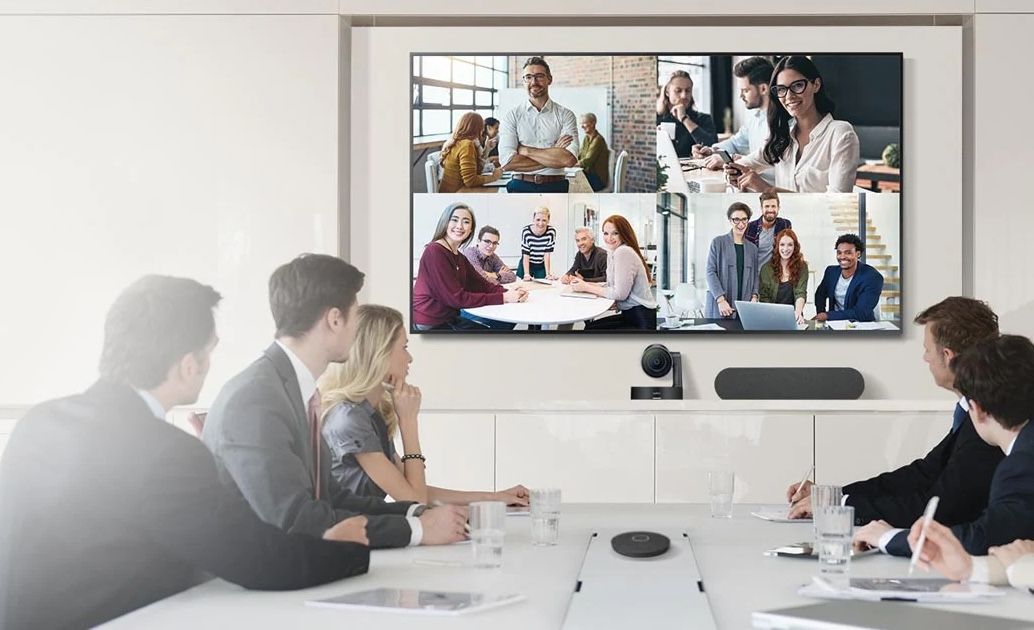
Thiết bị trình chiếu nên phù hợp với hệ sinh thái thiết bị đang dùng
Khi đã rõ nhu cầu và bối cảnh hạ tầng, doanh nghiệp có thể bắt đầu so sánh các bộ trình chiếu không dây trên thị trường dựa trên một bộ tiêu chí nhất quán. Điều này giúp việc lựa chọn giải pháp trình chiếu không dây trở nên minh bạch, có cơ sở và dễ bảo vệ trước ban lãnh đạo.
Tiêu chí đầu tiên, và luôn là yếu tố quan trọng nhất mà bạn cần cân nhắc, chính là trải nghiệm thực tế của người dùng cuối. Hãy nhớ rằng, một giải pháp dù có công nghệ tiên tiến đến đâu nhưng nếu quá khó sử dụng thì sẽ không được nhân viên chấp nhận.
Khi đánh giá, bạn nên đặt ra những câu hỏi cốt lõi sau: Người dùng có thể bắt đầu trình chiếu chỉ trong bao nhiêu bước đơn giản? Việc kết nối có yêu cầu cài đặt phần mềm phức tạp hay không? Và liệu các hướng dẫn trên màn hình có đủ rõ ràng và trực quan không?
Đặc biệt đối với các doanh nghiệp lớn, việc onboarding người dùng mới là vấn đề thường xuyên. Giải pháp trình chiếu không dây của bạn cần phải đảm bảo tính nhất quán về trải nghiệm giữa tất cả các phòng họp, kèm theo hướng dẫn rõ ràng ngay trên màn hình. Mục tiêu lý tưởng là ngay cả người dùng lần đầu tiên bước vào phòng họp cũng có thể tự tin kết nối và chia sẻ nội dung mà không cần phải gọi hỗ trợ từ bộ phận IT.
Hiệu năng là yếu tố cốt lõi của bất kỳ thiết bị trình chiếu không dây nào. Doanh nghiệp cần xem xét độ phân giải tối đa (Full HD, 4K), khả năng hỗ trợ nội dung video, biểu đồ động, và đặc biệt là độ trễ khi thao tác. Độ trễ cao khiến người thuyết trình khó thao tác trực tiếp trên slide, gây khó chịu trong quá trình trao đổi.
Bên cạnh đó, độ ổn định trong môi trường mạng thực tế cũng rất quan trọng. Phòng họp thường có nhiều thiết bị kết nối cùng lúc, mạng Wi-Fi bị chia sẻ cho nhiều nhu cầu khác. Một bộ trình chiếu không dây tốt phải duy trì kết nối mượt mà, hạn chế hiện tượng mất tín hiệu, đứng hình hoặc rớt kết nối giữa chừng.
Đối với nhiều doanh nghiệp lớn, trình chiếu không dây không chỉ đơn thuần là việc "chiếu một màn hình lên một display". Các tính năng nâng cao về cộng tác là điểm cộng rất thực tế, giúp tối ưu hóa hiệu quả cuộc họp. Bạn nên cân nhắc các khả năng sau:
Chia sẻ song song (Multi-Screen): Cho phép nhiều người kết nối và trình bày đồng thời trên màn hình, chia thành hai hoặc ba vùng hiển thị. Điều này đặc biệt hữu ích trong các cuộc họp dự án để so sánh dữ liệu và thảo luận nhóm hiệu quả hơn.
Quản lý Quyền trình chiếu: Khả năng cấp quyền trình chiếu dễ dàng và linh hoạt cho người tham gia.
Hỗ trợ Khách bên ngoài (Guest Access): Cho phép khách mời kết nối trình chiếu mà không cần phải tham gia vào mạng nội bộ của doanh nghiệp (ví dụ: qua mạng khách riêng). Đây là một yếu tố quan trọng về cả trải nghiệm người dùng lẫn bảo mật hệ thống.
Việc ưu tiên các giải pháp có tính năng cộng tác mạnh mẽ sẽ giúp nâng cao đáng kể giá trị của phòng họp trong môi trường làm việc hiện đại.
Với khách hàng doanh nghiệp lớn, bộ trình chiếu không dây phải được xem là một phần trong hạ tầng IT, chứ không phải thiết bị tiêu dùng độc lập. Do đó, các tính năng quản trị và bảo mật trở thành tiêu chí bắt buộc.
Doanh nghiệp nên ưu tiên những giải pháp có dashboard quản lý tập trung, cho phép IT xem trạng thái thiết bị, theo dõi phiên bản firmware, lên lịch cập nhật, và áp dụng chính sách bảo mật từ xa. Khả năng phân quyền truy cập, tích hợp với các hệ thống quản trị hiện có, và hỗ trợ ghi log sự kiện cũng là những điểm cần cân nhắc.
Về bảo mật, giải pháp trình chiếu không dây nên hỗ trợ mã hóa dữ liệu, tách biệt mạng khách và mạng nội bộ, đồng thời tương thích với các chính sách bảo mật tổng thể của doanh nghiệp.
Giá mua ban đầu chỉ là một phần của bức tranh tổng thể. Khi so sánh các bộ trình chiếu không dây, doanh nghiệp cần tính đến tổng chi phí sở hữu (TCO) bao gồm chi phí triển khai, cấu hình, đào tạo người dùng, bảo trì, nâng cấp firmware, và thời gian IT phải dành để hỗ trợ.
Một giải pháp có giá thiết bị thấp nhưng thiếu quản trị tập trung, thường xuyên gặp sự cố, hoặc buộc phải thay thế sau vài năm sẽ tạo ra TCO cao hơn nhiều so với một giải pháp có giá cao hơn nhưng bền vững, dễ vận hành. Việc đánh giá TCO cần được thực hiện trên một chu kỳ đủ dài, ví dụ 3–5 năm, để phản ánh đúng hiệu quả đầu tư.
 Tiêu chí đánh giá bộ trình chiếu không dây
Khi đã có cái nhìn tổng quan về nhu cầu, mô hình triển khai và các tiêu chí đánh giá, doanh nghiệp vẫn nên thận trọng trong bước ra quyết định. Dưới đây là một số lời khuyên thực tế giúp tối ưu khoản đầu tư vào trình chiếu không dây.
Sai lầm thường gặp nhất là lựa chọn thiết bị trình chiếu không dây chủ yếu dựa trên giá hoặc một vài tính năng bề nổi, mà chưa đánh giá đầy đủ hạ tầng mạng, bảo mật và khả năng quản trị. Điều này dẫn đến tình huống trong giai đoạn đầu mọi thứ có vẻ hoạt động ổn, nhưng khi số phòng tăng lên, thiết bị bắt đầu bộc lộ hạn chế về ổn định, khó quản trị hoặc xung đột với chính sách bảo mật.
Một sai lầm khác là chỉ thử nghiệm trong môi trường rất “lý tưởng”, ví dụ phòng lab hoặc phòng họp ít sử dụng, rồi áp dụng kết quả đó cho toàn bộ hệ thống. Trong thực tế, môi trường mạng phức tạp hơn nhiều, với hàng trăm thiết bị kết nối và nhiều ứng dụng chạy song song.
Đối với doanh nghiệp lớn, việc triển khai hàng loạt bộ trình chiếu không dây nên luôn đi kèm một giai đoạn demo hoặc Proof of Concept (POC) được thiết kế bài bản. POC nên diễn ra trong chính môi trường mạng sản xuất, với các phòng họp có tần suất sử dụng cao, để kiểm chứng hiệu năng, độ ổn định và trải nghiệm người dùng trong điều kiện thực tế.
Trong giai đoạn này, doanh nghiệp có thể thu thập phản hồi từ người dùng cuối, đội IT, và thậm chí là khách hàng/đối tác đã trải nghiệm. Những dữ liệu này giúp hoàn thiện yêu cầu kỹ thuật, điều chỉnh cấu hình mạng, và đưa ra quyết định đầu tư chính xác hơn.
Việc yêu cầu nhà cung cấp hỗ trợ POC cũng là một cách kiểm tra khả năng đồng hành lâu dài của họ, từ tư vấn thiết kế, triển khai, đến hỗ trợ vận hành.
Video demo bộ trình chiếu không dây Airmedia
Cuối cùng, một khoản đầu tư trình chiếu không dây hiệu quả không nhất thiết phải bắt đầu từ con số 0. Trong đa số trường hợp, doanh nghiệp đã có sẵn màn hình, máy chiếu, UC bar, camera phòng họp, hoặc hệ thống điều khiển. Việc tận dụng hạ tầng hiện có và chỉ bổ sung những bộ trình chiếu không dây phù hợp là cách tối ưu chi phí và rút ngắn thời gian triển khai.
Điều này đòi hỏi bước khảo sát hạ tầng và đánh giá tương thích được thực hiện kỹ lưỡng. Nếu lựa chọn đúng giải pháp trình chiếu không dây, doanh nghiệp vừa có thể nâng cấp trải nghiệm phòng họp, vừa kéo dài vòng đời của các thiết bị AV hiện có, đồng thời tạo nền tảng sẵn sàng cho những bước chuyển đổi tiếp theo như quản trị tập trung, phân tích dữ liệu sử dụng không gian và tối ưu hạ tầng phòng họp trên quy mô toàn doanh nghiệp.
Nếu doanh nghiệp của bạn đang đứng trước quyết định đầu tư bộ trình chiếu không dây, đây là thời điểm phù hợp để làm việc chặt chẽ giữa đội ngũ IT, bộ phận vận hành tòa nhà và các đơn vị tư vấn giải pháp AV, nhằm đảm bảo mỗi đồng ngân sách bỏ ra đều chuyển hóa thành trải nghiệm phòng họp hiệu quả, nhất quán và bền vững.
Đừng để những phút đầu cuộc họp bị lãng phí vì chuyện kết nối. Hãy kết nối với DSG để cùng xây dựng một tiêu chuẩn trình chiếu không dây thống nhất, ổn định và sẵn sàng mở rộng cho toàn bộ hệ thống phòng họp của bạn.